An airport television is often easy to see and impossible to hear. Auracast is designed to solve that sort of problem: a transmitter broadcasts audio, and compatible headphones or hearing devices receive it. Several people can listen to the same stream without each pairing directly with the television.
That is a useful change to Bluetooth audio. It is also a feature whose value depends heavily on the equipment around you. Buying compatible earbuds does not give an ordinary public TV a transmitter.
How you join a broadcast
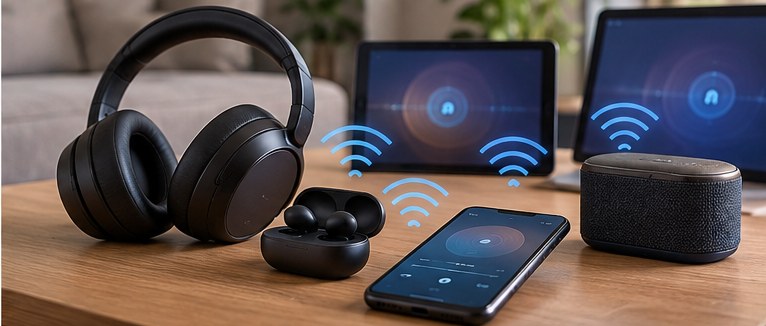
The Bluetooth Special Interest Group, the organization responsible for the standard, describes three roles: a transmitter, an assistant that helps select a broadcast, and a receiver. [1] The assistant might be a phone or another device with the necessary interface. The receiver is the earbud, headphone or hearing device that plays the sound.
You choose the broadcast you want, and the assistant provides the receiver with the information needed to join it. [1] That is different from the familiar process of pairing one pair of headphones with one phone.
At a venue with several screens, the selection could distinguish one television from another. A conference could provide separate audio streams. A broadcast can also be restricted rather than open to everybody nearby; the way you gain access depends on the installation.
The advertised ability to serve many listeners is a property of broadcasting, not a promise of perfect reception in every building. Walls, distance and the placement of equipment still matter. A venue needs to install the system properly.
Where the feature could be useful
Public televisions are the clearest example. A gym, airport lounge or waiting room can keep a screen quiet while listeners use their own compatible receivers. The same approach can serve talks, guided tours and announcements. Bluetooth SIG includes assistive listening among the intended uses. [2][3]
For someone with a compatible hearing device, direct access to a venue’s audio may be more useful than turning up a speaker across the room. Whether a particular hearing aid can receive the stream needs to be established with its manufacturer or hearing-care provider.
At home, shared TV listening is another plausible use. One person could listen at a different level from another without competing with room speakers. The TV or an attached transmitter must support the broadcast, and the receivers need compatible software.
Think about locations you actually visit. A feature used every week at your gym has a different buying value from one you hope might appear in an airport next year.
Bluetooth version numbers are not enough
Bluetooth 5.2 introduced a core capability used by LE Audio. That does not make every device labeled Bluetooth 5.2, 5.3 or later an Auracast product. Bluetooth SIG’s FAQ tells buyers to check implementation and upgrade support with the manufacturer. [4]
Look for an explicit statement of Auracast support for the exact model. Then establish what it can do: transmit audio, help select a broadcast, receive a broadcast, or some combination. A product supporting one role is not automatically able to do all of them.
Firmware can change support, but an announced update is different from the version you can install today. Check the software release notes and device requirements. A retailer repeating an old promise is not enough evidence to buy around it.
The phone also needs attention. A compatible pair of headphones may still require a supported assistant to find and join a broadcast conveniently. Ask how the complete phone-and-headphone combination works, rather than treating each box’s logo as a guarantee.
LE Audio includes more than broadcasting
LE Audio is the broader Bluetooth audio system. It includes the LC3 codec and capabilities for handling multiple streams; Auracast is its broadcast application. [3][4]
A codec determines how audio is encoded for transmission. That is a separate question from whether you can select the sound from a nearby TV. LE Audio support in a product description should not be read as confirmation of every Auracast workflow.
Similarly, ordinary Bluetooth multipoint lets headphones maintain connections to more than one source. It is not the same thing as joining a broadcast heard by many people. Neither feature substitutes for the other.
What to check before spending money
For a home setup, begin with the source. Confirm that the TV or transmitter can broadcast the audio you want and that your receivers are supported. Check whether using it changes the room-speaker output, because different household members may want different listening arrangements.
For a public venue, ask whether an Auracast service is actually installed and how to access it. If it is an important accessibility need, a product demonstration with the relevant equipment is worth more than a future-support claim.
A receiver may also have controls for switching between a broadcast and ordinary phone listening. Find out how calls interrupt the stream and how you return to it afterward. A convenient demonstration can leave out those interruptions.
Should it affect your headphone choice?
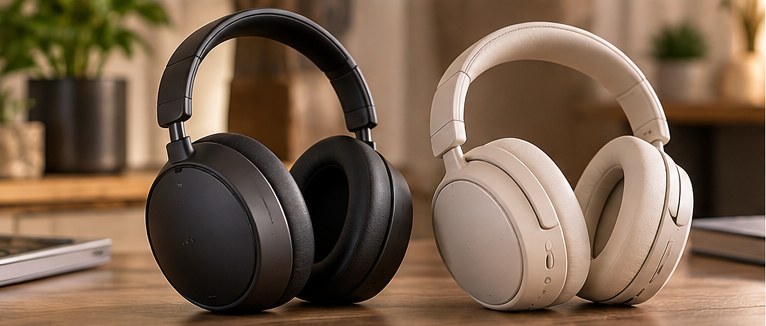
When two otherwise suitable pairs are similarly priced, explicit Auracast support is a useful additional capability. It deserves more weight if there is already a broadcast you expect to use.
It is a weak reason to replace comfortable headphones when no compatible source is part of your routine. Choose for fit, sound and battery first, then add Auracast to the comparison once you have checked the whole connection. The standard solves a specific problem; the hardware around you determines whether it can solve yours.
Sources
Sources checked October 5, 2026. Buying recommendations are Znews editorial judgments.
[1] Bluetooth SIG, How Auracast works.
[2] Bluetooth SIG, Auracast overview.
[3] Bluetooth SIG, Bluetooth LE Audio overview.
[4] Bluetooth SIG, LE Audio FAQ.