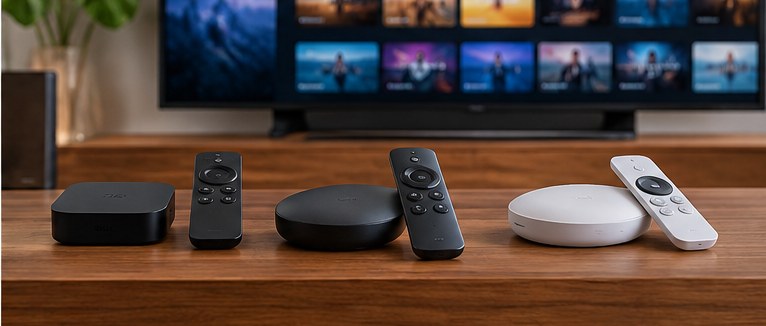
A separate streaming box is worth buying when it fixes a problem with your television: slow menus, missing apps, unreliable networking or a remote you dislike. If the TV already opens your services quickly and plays the formats you want, keep using it.
Apple TV 4K and Roku Ultra are sensible ways to update the smart part of a television without replacing its screen. They are also another purchase, another HDMI connection and another device to keep powered. Decide what you will gain before ordering.
Apple TV 4K fits an Apple household
Apple’s current specifications describe an A15 Bionic processor, a 64GB Wi-Fi model and a 128GB model with Gigabit Ethernet and Thread networking. [1] Check the current store listing when buying; these are the configurations assessed here.
The higher storage number is rarely the main reason to choose the 128GB version. Ethernet is useful when Wi-Fi behind the television is unreliable. Thread support may matter if the box is part of a compatible smart-home setup.
Apple TV also fits households using iPhones, AirPods and Apple services. The convenience can be worth the premium if you use those connections often. A family that mostly opens one streaming app has a weaker reason to pay for the ecosystem.
Do not confuse the Apple TV device, the Apple TV app and a subscription to Apple’s streaming service. Buying the hardware does not give you permanent access to paid services. Add the subscriptions you intend to use to the ongoing cost.
Roku Ultra is worth comparing for the remote
Roku Ultra lists Dolby Vision, HDR10+, Dolby Atmos, Wi-Fi 6 and Ethernet. Its rechargeable Voice Remote Pro has backlit buttons and a lost-remote finder. [2] Those practical controls are a good reason to consider it for a shared living room.
Roku is a streaming platform with its own promotions and recommendations, not an entirely empty grid of applications. Someone who dislikes their TV’s crowded home screen should inspect Roku’s interface before assuming it will solve that complaint.
The Ethernet connection may solve a more straightforward problem. If buffering follows a weak wireless signal in one room, a wired player can help. It cannot repair a slow internet connection coming into the house or a problem at the streaming service.
Check the exact Ultra generation on a sale page. Retailers can sell older stock beside the current model, and the included remote or wireless specification may differ. A photograph of the box is not enough to establish the version.
Picture quality depends on the whole chain
A streamer supporting Dolby Vision cannot make a television support Dolby Vision. The content, service, app, subscription tier, player and screen must provide a compatible path. [1][2]
A separate device can improve the interface without improving the image. If your TV app already delivers the same program in the same format, buy a box for speed or control rather than expecting an automatic picture upgrade.
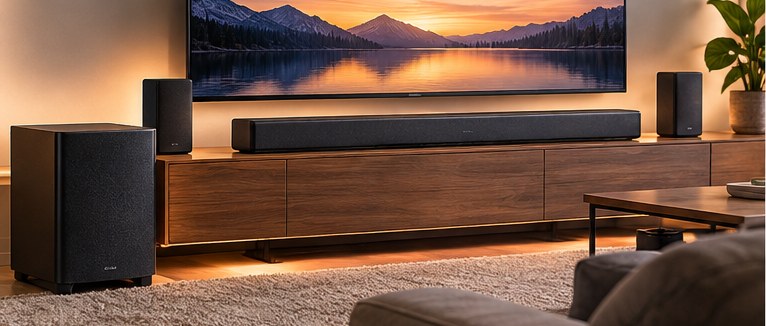
Audio needs the same check. The TV and sound system determine which formats can reach the speakers. Look at the soundbar connection and passthrough settings if surround sound is a reason for changing the player.
For an older screen, make sure the HDMI inputs support the resolution and copy-protection requirements of the services you want. A new player cannot remove every limit of old display hardware.
Software can age before the screen does
A television can have a good panel and an increasingly slow operating system. Replacing the player is a less expensive way to address that than buying another large screen.
It can also give several TVs the same interface. That is useful for a household where different brands have left everyone learning a different remote. Consider the smaller streaming devices as well if your needs are basic; neither premium box is necessary merely to add an app.
Before buying, try a restart and install the available TV updates. Check whether the problem affects one app or the whole system. A single unreliable service may behave similarly on a new player.
Privacy and advertisements deserve a look
A streamer adds another account and another set of settings. Review viewing-history, advertising and voice-control options during setup. A device being physically separate from the television does not make its data collection disappear.
If fewer promotions are the main goal, compare the interfaces you can use today. Ask how much of the home screen is under your control. Do not assume a subscription removes device-level promotions unless the terms say so.
Guest rooms introduce another issue: which accounts will stay signed in? Use the supported guest controls or establish a routine for signing out. A convenient remote should not leave the next guest with access to your purchases.
Buy for today’s problem
Check Apple’s current listing before paying full price, especially when your existing player still works. The box needs to improve watching television enough to justify another purchase.
Choose Apple TV 4K for frequent use of Apple’s device connections and services, with Ethernet if your room needs it. Choose Roku Ultra for its remote, platform and wired-network option. Keep the TV’s own apps when they are responsive and supported. The separate box should earn its place by fixing the part of watching television that currently gets in your way.
Sources
Sources checked October 5, 2026. Buying recommendations are Znews editorial judgments.
[1] Apple, Apple TV 4K technical specifications.
[2] Roku, Roku Ultra specifications.